WebP vs JPG vs PNG vs AVIF: Which Format Should You Use in 2026?
One folder can easily contain four versions of the same Image: a JPG from the photographer, a transparent PNG from the designer, a WebP created for WordPress, and an AVIF generated by a performance plugin. It is tempting to declare one format the winner and convert everything to it.
That is how sites end up with blurry screenshots, oversized logos, or Image files that work on the page but become awkward when reused in email, a marketplace upload, or a client download.
The practical answer to WebP vs JPG vs PNG 2026 is not “always use AVIF” or “convert every Image to WebP.” Each format still has a useful role. Your choice should depend on the Image content, how the file will be delivered, whether transparency matters, and how much compatibility you need.
The Quick Answer
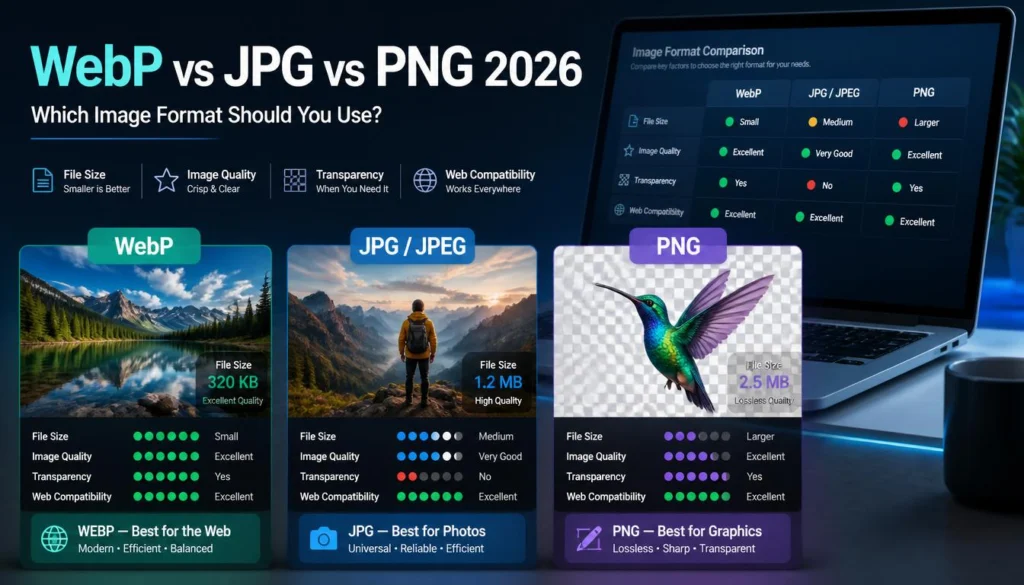
Use WebP as the general-purpose choice for most website photos, blog images, product photography, and many graphics.
Use JPG when you need the broadest compatibility for photo uploads, email attachments, official forms, marketplaces, and older systems.
Use PNG for logos, icons, diagrams, UI assets, and graphics that need full transparency or pixel-perfect sharpness.
Use AVIF when you are focused on maximum compression for modern web delivery, and provide a fallback for situations where you need a more universally compatible file.
For a typical WordPress site in 2026, WebP is often the sensible default. AVIF can be excellent for carefully optimized high-traffic pages. JPG and PNG are not obsolete; they solve specific compatibility and visual-quality problems that newer formats do not erase.
Format Comparison at a Glance
The key difference is not just file size. It is what each format preserves.
A food photograph may look excellent as WebP or AVIF. A product cutout on a transparent background may work well in WebP, AVIF, or PNG formats. A small code screenshot may need to be a PNG or a high-quality WebP to keep the text readable. A passport photo for an online form should normally be a JPG, as the upload portal may reject newer formats.
WebP: The Practical Website Default
WebP is the format I would test first for most website images.
It supports lossy and lossless compression, transparency, and animation. For typical web photography, WebP often produces a visually similar Image at a smaller file size than JPG. Lossy WebP files are commonly around 25–35% smaller than comparable JPEG images at similar visual quality, while lossless WebP can also reduce the size of many PNG-style images.
That flexibility makes WebP particularly useful when one site needs a mix of editorial photos, WooCommerce products, feature images, background visuals, and transparent cutouts.
Where WebP works well
-
WordPress featured images
-
Blog post photography
-
Product-gallery photos
-
Product cutouts with transparency
-
Lifestyle images
-
Social preview images, where the platform accepts WebP
-
Many screenshots, provided the text stays sharp
-
Animated web graphics in supported workflows
WebP has broad support in current major browsers. That makes it a low-risk choice for normal public web delivery, especially when your site does not need to support very old browsers or Internet Explorer.
Where WebP is not the best choice
WebP can become inconvenient outside the browser.
A government form may demand JPG. A client may want files they can open in any basic Image viewer. A marketplace or email recipient may not accept or preview WebP reliably. In those cases, use JPG for photographs and PNG for transparent graphics.
WebP also is not automatically the ideal choice for every screenshot. If the Image contains tiny text, thin UI lines, or a dense chart, compare it against PNG or a high-quality WebP export. File size matters, but legibility matters more.
If you need a browser-based way to make a WebP version alongside JPG and PNG alternatives, you can use the ImagArt Image format workspace to compare exports from the same original file.
JPG: Still Essential for Photos and Compatibility
JPG remains one of the most useful formats in everyday work.
It does not support transparency, and it uses lossy compression, but it is universally familiar. Most forms, email clients, marketplaces, client systems, office apps, and Image viewers handle JPG without a second thought.
That is a big advantage when your Image is leaving your website.
Choose JPG when
-
A job, school, visa, passport, or government portal asks for JPEG
-
You are emailing photos to clients or non-technical recipients
-
You are uploading images to a marketplace with strict file rules
-
You need a broadly compatible photography format
-
You are preparing a photo for a document, presentation, or office workflow
-
Your recipient needs to open the file without relying on modern browser support
For email attachments, JPG is still safer than WebP in many real-world situations. It can be compressed effectively after resizing, and recipients are unlikely to struggle with previews or downloads. If you regularly email event photos, product selections, or client proofs, see the workflow in How to Shrink Photos So They Actually Send by Email.
JPG’s limitations
JPG does not support transparency. If you save a transparent logo as a JPG, it will gain a solid background. It can also create halos around sharp text and object edges, particularly after aggressive compression.
Repeated JPG exports can compound Image damage. A photo saved at low quality, resized, then saved again at low quality may show blockiness in shadows, skin, hair, and gradients. Keep an original master, then create each final JPG export from that source.
For normal web photos, JPG is still perfectly usable. WebP or AVIF may produce a lighter file, but compatibility can outweigh the difference.
PNG: Use It for Precision, Not Every Image
PNG is not a “high-quality JPG.” It is designed for different work.
PNG uses lossless compression, so it preserves Image data without the visible artifacts you may see in a heavily compressed JPG. It also supports full alpha transparency, making it valuable for logos, icons, badges, UI components, diagrams, and graphics that need a clean, transparent background.
PNG is usually the right option for
-
Logos with transparent backgrounds
-
Icons and UI elements
-
Technical diagrams
-
Text-heavy graphics
-
Simple illustrations with flat colors
-
Screenshots containing small text or fine lines
-
Images that must preserve exact sharp edges
-
Brand marks that will appear over different colored backgrounds
A transparent logo on a dark site header is a good example. Exporting it as JPG would remove transparency and can produce a colored box behind the mark. WebP may work well, but PNG remains a dependable source format and a broadly compatible delivery format.
PNG is usually the wrong option for
-
Full-color photos
-
Large lifestyle images
-
Product photographs without transparency
-
Event photos
-
Blog featured images where file size matters
A phone photo saved as PNG can be much larger than a comparable JPG or WebP file. It may look identical to the naked eye at normal display size, but it adds unnecessary page weight.
If a photo is too large, do not simply lower PNG expectations and hope for the best. Convert it to WebP or JPG, resize it to the actual display dimensions, and use moderate compression.
AVIF: The Smallest Option Is Not Always the Easiest
AVIF often produces excellent compression, especially for complex photographic images. In many tests, it can achieve a smaller file size than WebP and JPG at a similar visual quality. It supports transparency, high color depth, wide color gamuts, HDR, and animation-capable workflows.
For a site with large traffic volume or image-heavy landing pages, those savings can be meaningful.
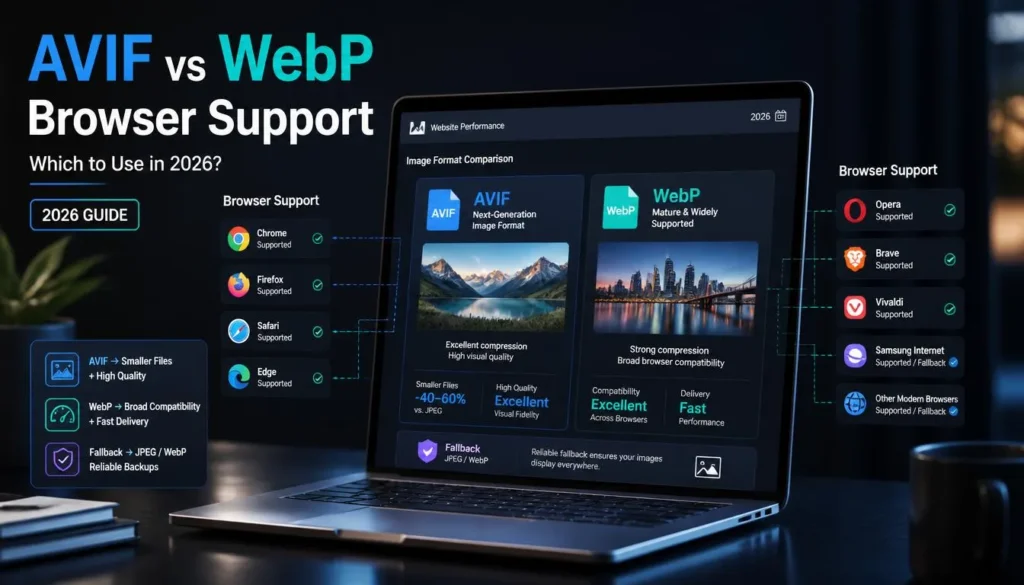
AVIF is supported in current major browsers, including Chrome, Edge, Firefox, Opera, and Safari. Yet support is only one part of the decision.
AVIF is a strong choice for
-
High-traffic editorial sites
-
Large homepage hero images
-
Photo-heavy landing pages
-
Image-rich product catalogs
-
Responsive-image systems that generate fallbacks
-
Teams that can automate encoding and test browser delivery
-
Projects where every kilobyte of Image weight matters
AVIF needs more planning when
-
You need fast Image encoding during uploads or build processes
-
Your team edits and exchanges Image files outside the browser
-
You need easy previews in older tools or workflows
-
You must support legacy browsers or embedded webviews
-
You send images by email or upload them to third-party portals
-
You need a simple, broadly reusable source file
AVIF files can take more effort to encode than JPG or WebP, and they are less convenient in some day-to-day sharing workflows. It also does not render progressively, as some formats do, meaning the browser must receive the complete file before displaying it.
For many small and mid-sized sites, WebP gives you a simpler balance. For performance-heavy projects with Image automation and fallbacks, AVIF is worth testing.
Which Format Should You Actually Choose?
The easiest way to decide is to begin with the Image’s destination.
This is the practical outcome of WebP vs JPG vs PNG in 2026: choose WebP for general web publishing, JPG for compatibility-sensitive photo sharing, PNG for precise graphics, and AVIF when your web delivery workflow can take advantage of its superior compression.
Do Not Convert Everything Automatically
Mass conversion can create avoidable problems.
A blind “convert all PNG files to WebP” rule may damage screenshots, disrupt a workflow that depends on PNG transparency, or create a format the design team cannot easily preview. A blind “convert all images to AVIF” rule can complicate email, downloads, client handoffs, and platforms that do not accept the format.
Use a content-based approach instead.
Photos
For web photos, test WebP first. If you run an image-heavy site with modern delivery tooling, test AVIF against it. Keep JPG copies when the Image may be emailed, submitted to an external platform, or shared with clients.
Transparent images
For transparent product cutouts, try WebP or AVIF if your site delivery supports them. Keep the PNG master. For logos, PNG is still often the safest file format for publishing and handoff because it stays sharp and works across a wide range of tools.
Screenshots and graphics
Start with PNG if detail matters more than file size. Then test a high-quality WebP export. If it remains equally readable at the actual display size, WebP may reduce the file size enough to justify using it.
Strict file-size targets
When you need to get an Image under a fixed limit, choose the accepted format first. Then crop and resize before reducing quality. A WebP file may be smaller, but it is not helpful if the upload form accepts JPG only.
Common Format Mistakes
Using PNG for a large camera photo
This creates an unnecessarily large file in most cases.
Use WebP, JPG, or AVIF for photographic content. Reserve PNG for transparency, pixel-level precision, and graphics.
Using JPG for transparent logos
JPG removes transparency and can introduce visible edge artifacts. Use PNG or lossless WebP instead.
Treating AVIF as an email format
AVIF is useful for web performance, not for everyday email attachment compatibility. If you are sending photos to a client, JPG is usually the sensible choice.
Treating WebP as a universal upload format
WebP works well on the modern web. It is not universally accepted by all external portals, legacy CMSs, marketplaces, or forms. Check the file rules before converting.
Keeping a 4,000px Image because the format is modern
Format changes help, but they do not replace sensible dimensions.
A 4,000px WebP may still be much heavier than a 1,400px WebP, even if both look identical in a 1,200px blog content area. Resize for the real layout, then select the format.
FAQ
Is WebP better than JPG in 2026?
For many web photos, WebP is often better because it can produce smaller files at similar visual quality and supports transparency. JPG remains better when broad compatibility matters, such as email attachments, official forms, marketplaces, or client handoffs.
Should I use AVIF or WebP for WordPress?
Use WebP as the practical default for most WordPress sites. Test AVIF for image-heavy pages or high-traffic sites where small file-size savings matter, and your plugin, CDN, or responsive-image setup can provide WebP or JPG fallbacks when needed.
Is PNG still necessary?
Yes. PNG remains useful for transparent logos, icons, diagrams, line art, and screenshots that need crisp text and exact edges. It is usually not the best choice for full-color camera photos.
Can WebP replace PNG for transparent images?
Often, yes. WebP supports transparency and can create smaller files than PNG in many cases. Keep a PNG master for design and compatibility needs, then test WebP on your site to make sure edges, colors, and transparency look correct.
Which Image format loads the fastest?
The fastest format depends on the Image itself, its dimensions, encoding settings, browser support, and delivery setup. AVIF often produces the smallest photographic files, while WebP offers a strong balance of compression, compatibility, and workflow convenience. A correctly sized Image matters as much as the format.
Build a Practical Image Stack
Use WebP as the default for standard website images, keep JPG for photos that must be sent via email or uploaded through third-party services, and reserve PNG for transparency and crisp graphics. Test AVIF where its compression advantage supports a real performance goal rather than converting files just because it is newer.
For a quick format comparison using your own source Image, you can create WebP, JPG, and PNG versions with the ImagArt web Image converter and check the result at the size visitors will actually see.